Moodle™ Cloud Hosting, Moodle™ SaaS Hosting Services

Compared with setting up and maintaining servers by yourself, Moodle™ hosting provides a simpler and more convenient solution, enabling educational institutions and educators to focus on teaching without worrying about technical issues.

Choose the Moodle™ Cloud Hosting Plans

Single Moodle™ instance with one-click installation and managed service with control panel, ideal for small projects.

Express Plan

4.99/mo
1mo6mo12mo24mo
Free Trial
  • 2 CPU Cores
  • 2GB Memory
  • 60GB SSD Disk
  • 60GB SATA Backup Storage
  • Unmetered Bandwidth
  • Twice per Month Backup
  • On-Demand Backup
  • 24/7 Technical Support

Basic Plan

8.99/mo
1mo6mo12mo24mo
Free Trial
  • 3 CPU Cores
  • 4GB Memory
  • 100GB SSD Disk
  • 100GB SATA Backup Storage
  • Unmetered Bandwidth
  • Twice per Month Backup
  • On-Demand Backup
  • 24/7 Technical Support

Professional Plan

15.99/mo
1mo6mo12mo24mo
Free Trial
  • 4 CPU Cores
  • 8GB Memory
  • 160GB SSD Disk
  • 160GB SATA Backup Storage
  • Unmetered Bandwidth
  • Weekly Backup
  • On-Demand Backup
  • 24/7 Technical Support

Advanced Plan

31.99/mo
1mo6mo12mo24mo
Free Trial
  • 6 CPU Cores
  • 16GB Memory
  • 240GB SSD Disk
  • 240GB SATA Backup Storage
  • Unmetered Bandwidth
  • Weekly Backup
  • On-Demand Backup
  • 24/7 Technical Support
How to Choose Moodle Cloud Hosting Plans

How to Choose a Cloud Hosting Plan for Building a Learning Platform?

Knowing how many concurrent users will be accessing your learning platform will be the key to choosing the right hosting for your site. The number of concurrent users will decide how much RAM and CPU you'll need. You can refer to the following guidelines for selecting a plan based on concurrent users:

fiber_manual_recordExpress Plan: 20-30 concurrent users
fiber_manual_recordBasic Plan: 50-70 concurrent users
fiber_manual_recordProfessional Plan: 100-150 concurrent users
fiber_manual_recordAdvanced Plan: 200-300 concurrent users

For accommondating over 400 users, please select our Dedicated Server.

8 Features of Moodle™ Cloud Hosting

Cloud hosting provides a reliable, secure, and scalable solution for hosting your LMS website.
24/7 Technical Support

24/7 Technical Support

Cloud Clusters provides round-the-clock technical support to help you resolve any issues related to managed Moodle™ SaaS hosting.
Cloud Hosting

Cloud Hosting

Hosting Moodle™ SaaS on a cloud server ensures reliable and accessible project management from anywhere with an internet connection.
Rapid Deployment

Rapid Deployment

Deploy your Moodle™ software in just a few minutes with the one-click installation, getting it ready immediately.
Stable Network

Stable Network

We have a robust infrastructure in US data centers, ensuring that users' websites can achieve stable network connections.
Scalability

Scalability

Offers different levels of hosting plans, allowing you to easily upgrade or downgrade to meet your website's growing needs.
Backup and Restore

Backup and Restore

Regularly backs up your Moodle LMS hosting according to your plan, allowing you to restore website data and settings at any time.
Website Migration

Website Migration

Users can migrate anytime—whether from another host or when upgrading plans—with no restrictions or fees.
99.9% Uptime Guarantee

99.9% Uptime Guarantee

There is only a maximum of 8.76 hours of unavailable time per year, covering service interruptions caused by hardware, network, and power failures.

Secure Free Moodle™ Web Hosting Services

Cloud Clusters offers several security measures to protect hosted sites from various cyber-attacks and security threats.
Container Technology

Container Technology

Compared to shared hosting, Moodle™ server hosting uses Docker container technology to isolate and protect each hosted website, enhancing website security.
DDoS Protection

DDoS Protection

Moodle™ hosting utilizes a professional DDoS protection system that can detect and filter malicious traffic, protecting websites from DDoS attacks.
WAF Protection

WAF Protection

Moodle™ Hosting service provides web application firewall protection to protect sites from cyberattacks and malicious behavior.
Free SSL Certificate

Free SSL Certificate

Moodle™ hosting also provides a free SSL certificate to protect the security of the website and improve its search engine ranking.

Better Performance, Lightning-Fast Moodle™ Hosting

Cloud Clusters uses data caching, Apache web server, database optimization, NVMe, and SSD to achieve high loading speed for Moodle™ LMS hosting.

Data Cache

Adopt an effective caching strategy to cache frequently accessed data in a fast-access storage medium, reduce frequent access to the database, and improve the response speed of the website.

Apache Web Server

Apache web server is known for its powerful performance and scalability. It is designed to handle high-traffic loads efficiently, ensuring a fast and responsive Moodle site, even with a large number of concurrent users.

Performance Tuning

By performance tuning PHP and database, you can reduce server load and page load time, and improve the speed and performance of Moodle™ hosting.

Excellent Hardware

Compared with traditional mechanical hard drives, NVMe and SSD hard drives have faster read and write speeds, lower access latency, and can better resist physical damage and electrical interference.

Easy-to-Use Control Panel to Manage Moodle™ SaaS

A control panel is an essential component of a user-friendly Moodle™ as a service, as it allows users to manage their databases and hosting environment easily.

Database Management

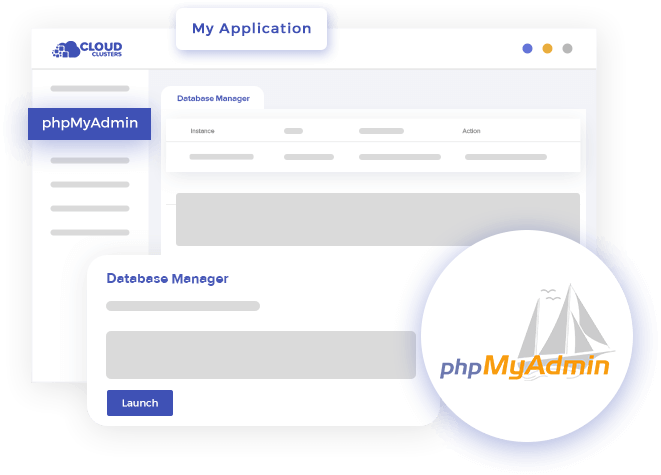
The control panel seamlessly integrates phpMyAdmin to provide efficient database management capabilities for your Moodle™ server, and you can easily manage databases, tables and execute SQL queries.

Extended Resources

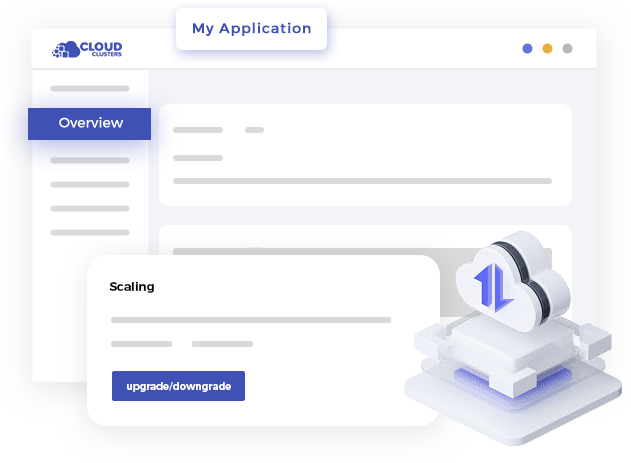
Users can easily upgrade or downgrade services in the Control Panel. This flexibility can help users quickly adapt to changes and save additional costs when application requirements evolve.

Performance Monitoring

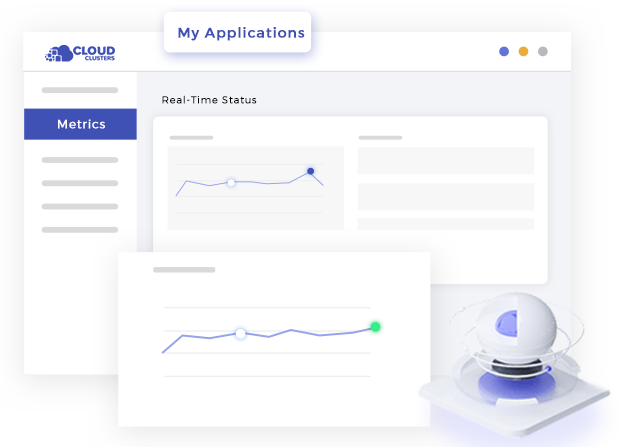
The control panel provides a real-time performance monitoring function of Moodle™ so that you can identify and solve problems in time and improve application performance.

Command Line Tool

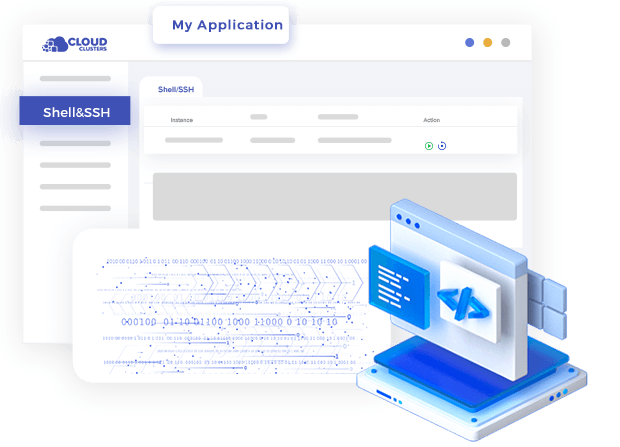
Support web shell remote access methods, enabling users to conveniently perform command line operations, file transfers, and remote operations, and easily remotely manage and maintain servers and applications.

Easy-to-Use Control Panel for Elasticsearch as a ServiceEasy-to-Use Control Panel for Elasticsearch as a ServiceEasy-to-Use Control Panel for Elasticsearch as a ServiceEasy-to-Use Control Panel for Elasticsearch as a Service

4 Steps to Start Moodle™ Hosting SaaS

Moodle™ as a service makes it easy for users to create and manage their websites without technical expertise in server administration and also offers features like automatic updates, security monitoring, backups, and caching to improve website performance.
Deploy Moodle

Deploy Moodle

Cloud Clusters provides a one-click installation of Moodle. After placing the order, the installation will be completed within five minutes, and then enter the control panel, and configure the domain name, SSL.
Customize Site

Customize Site

After installing Moodle, log in to your Moodle site as an administrator. Explore the various customization options, such as choosing a theme, configuring course settings, enabling plugins, and creating user roles.
Set up Courses

Set up Courses

Start creating courses on your Moodle site. Define course structure, add resources, and set up activities to engage learners. Set basic settings like site name, time zone, language, and other preferences.
Launch and Maintenance

Launch and Maintenance

Once your Moodle site is ready, make it public, promote it to users, and keep it updated with security patches and performance checks.
Moodle VPS

Introduction to Moodle™ Community Hosting

Moodle community hosting is a service tailored to meet the needs of Moodle users and their community-based learning environments. It provides a hosting environment optimized for running Moodle sites, with additional features and support to enhance the Moodle experience for administrators and learners.

The Importance of Choosing Moodle™ Themes

By carefully considering the design, functionality, performance, security, and support of Moodle™ themes and plugins, you can create an engaging and effective learning platform that meets the specific needs of your institution and learners.
Examples of Themes
The Importance of Choosing Moodle™ Themes
Boost
Adaptable
Edwiser
Lambda

What is Moodle™ LMS Hosting Used for?

Free Moodle™ hosting serves as a reliable and scalable solution for creating, managing, and delivering online learning experiences. It provides educational institutions, organizations, and individuals with a powerful platform to create engaging and interactive online courses and training programs.

Online Education

Moodle™ hosting allows educational institutions, schools, universities, and online learning platforms to create and manage online courses. It provides a platform for teachers to teach course content, interact with students, facilitate discussions, assign and grade assignments, and track learners' progress.

Corporate Training

Many organizations use Moodle™ hosting to create and deliver training programs to their employees. Moodle provides a centralized platform for organizing and delivering training materials, tracking employee progress, and conducting assessments or certifications.

Blended Learning

Moodle™ as a service supports blended learning approaches by combining online and face-to-face learning experiences. It allows teachers to provide digital resources, interactive activities, and assessments to complement face-to-face instruction.

Continuing Education

Moodle™ hosting is often used by organizations and institutions offering continuing education programs. It supports the creation of online courses or modules that professionals can take to improve skills, gain certification, or fulfill continuing education requirements.

Professional Development

Moodle™ as a service can be used to provide professional development opportunities for educators or professionals in various fields. It allows for the creation of courses, workshops, or learning communities where individuals can participate in continuous learning and professional growth.

Community-Based Learning

Moodle™ hosting facilitates a community-based learning environment where learners can collaborate, share knowledge and participate in discussions. It supports social learning features such as forums, wikis, blogs, and chat rooms to encourage interaction and knowledge sharing among learners.

Choose the Moodle™ VPS Hosting Plans

Support multiple Moodle™ instances with manual setup, offering flexibility for small to medium-sized projects.

Express Plus Linux VPS

7.99/mo
1mo3mo12mo24mo
Order Now
  • 3 CPU Cores
  • 6GB RAM
  • 100GB SSD Disk Space
  • 100Mbps Unmetered Bandwidth
  • Once per 4 Weeks Backup
  • 1 Dedicated IP
  • No Setup Fee

Basic Plus Linux VPS

12.99/mo
1mo3mo12mo24mo
Order Now
  • 6 CPU Cores
  • 12GB RAM
  • 180GB SSD Disk Space
  • 200Mbps Unmetered Bandwidth
  • Once per 4 Weeks Backup
  • 1 Dedicated IP
  • No Setup Fee

Professional Plus Linux VPS

27.99/mo
1mo3mo12mo24mo
Order Now
  • 8 CPU Cores
  • 24GB RAM
  • 280GB SSD Disk Space
  • 300Mbps Unmetered Bandwidth
  • Once per 2 Weeks Backup
  • 1 Dedicated IP
  • No Setup Fee

Advanced Plus Linux VPS

51.99/mo
1mo3mo12mo24mo
Order Now
  • 16 CPU Cores
  • 32GB RAM
  • 400GB SSD Disk Space
  • 500Mbps Unmetered Bandwidth
  • Once per 2 Weeks Backup
  • 1 Dedicated IP
  • No Setup Fee
For more VPS plans, please visit the Linux VPS page

Choose the Moodle™ Dedicated Hosting Plans

Offer exclusive hardware with high performance for running Moodle™, perfect for large-scale or high-traffic projects.

Express Dedicated Server - NVMe

54.00/mo
1mo3mo12mo24mo
Order Now
  • 32GB RAM
  • 4-Core E3-1230v3 @3.30 GHz
  • 120GB SSD + 1TB NVMe + 1TB SATA
  • 100Mbps-1Gbps Bandwidth
  • OS : Windows / Linux
  • 1 Dedicated IPv4 IP
  • No Setup Fee
Black Friday Sale

Lite Dedicated Server - SSD

31.85/mo
35% OFF Recurring (Was $49.00)
1mo3mo12mo24mo
Order Now
  • 16GB RAM
  • 4-Core E3-1220 @3.10 GHz
  • 480GB SSD + 500GB SATA
  • 100Mbps-1Gbps Bandwidth
  • OS : Windows / Linux
  • 1 Primary IP

Express Dedicated Server - SSD

49.00/mo
1mo3mo12mo24mo
Order Now
  • 32GB RAM
  • 4-Core E3-1230 @3.20 GHz
  • 120GB SSD + 960GB SSD
  • 100Mbps-1Gbps Bandwidth
  • OS : Windows / Linux
  • 1 Primary IP

Basic Dedicated Server - SSD

79.00/mo
1mo3mo12mo24mo
Order Now
  • 64GB RAM
  • 8-Core E5-2670 @2.60 GHz
  • 120GB SSD + 960GB SSD
  • 100Mbps-1Gbps Bandwidth
  • OS : Windows / Linux
  • 1 Primary IP
Black Friday Sale

Basic Dedicated Server - NVMe

44.55/mo
55% OFF Recurring (Was $99.00)
1mo3mo12mo24mo
Order Now
  • 64GB RAM
  • 8-Core E5-2667v4 @3.20 GHz
  • 120GB SSD + 2 x 1TB NVMe + 2TB SATA
  • 100Mbps-1Gbps Bandwidth
  • OS : Windows / Linux
  • 1 Dedicated IPv4 IP
  • No Setup Fee
Black Friday Sale

Advanced Dedicated Server - SSD

84.50/mo
50% OFF Recurring (Was $169.00)
1mo3mo12mo24mo
Order Now
  • 256GB RAM
  • 24-Core Dual E5-2697v2 @2.70 GHz
  • 120GB SSD + 2TB SSD
  • 100Mbps-1Gbps Bandwidth
  • OS : Windows / Linux
  • 1 Primary IP

Professional Dedicated Server - SSD

99.00/mo
1mo3mo12mo24mo
Order Now
  • 128GB RAM
  • 16-Core Dual E5-2660 @2.20 GHz
  • 120GB SSD + 960GB SSD
  • 100Mbps-1Gbps Bandwidth
  • OS : Windows / Linux
  • 1 Primary IP

Professional Dedicated Server - NVMe

129.00/mo
1mo3mo12mo24mo
Order Now
  • 128GB RAM
  • 16-Core Dual E5-2667v4 @3.20 GHz
  • 120GB SSD + 2TB NVMe + 4TB SATA
  • 100Mbps-1Gbps Bandwidth
  • OS : Windows / Linux
  • 1 Dedicated IPv4 IP
  • No Setup Fee
For more dedicated bare metal server plans, please visit the specialized dedicated server page.

FAQs of Free Moodle™ hosting, Moodle™ as a Service

What is the difference between Moodle™ Cloud Hosting, Moodle™ VPS Hosting, and Moodle™ Dedicated Hosting?

Moodle™ Cloud Hosting is a fully managed, container-based hosting solution where resources are shared with other users on the same node. It is designed exclusively for running a single Moodle™ application. We take care of all technical aspects, including server setup, software installation, maintenance, and security, so you don’t have to. The environment is pre-configured with only Moodle™ and essential software, such as a database, allowing you to use it immediately after ordering. Regular automated backups are included, with on-demand backups available and easily managed through the control panel. This solution is ideal for businesses looking for a hassle-free, optimized Moodle™ experience without the need for server management.
Moodle™ VPS Hosting provides a virtual private server (VPS) that offers more flexibility and control than cloud hosting. While it runs on a shared physical machine, the virtualized environment ensures dedicated resources for each user. With root/admin access, you have near-full control over your server, allowing you to install and configure your preferred operating system, applications, and services. However, server administration, security, and maintenance are your responsibility. Regular backups are included and managed by our team. VPS hosting is easily scalable within the limits of the physical machine and is ideal for businesses that need more customization and control while still maintaining cost efficiency.
Moodle™ Dedicated Hosting provides an entire physical server exclusively for a single user or businessoffering the highest level of performance, security, and resource availability. Unlike cloud and VPS hosting, there is no sharing of CPU, RAM, or storage, ensuring optimal speed and reliability for demanding applications. With full root/admin access, users have complete control over server configurations, software installations, and customizations. However, this also means that server administration, maintenance, and security are the user’s responsibility. Regular backups are not offered, but since the user has full control, they can implement their own backup strategies as needed. While dedicated hosting provides unmatched performance, scaling CPU or hardware often requires migrating to a new server. This solution is best suited for enterprises and organizations that require maximum computing power, dedicated resources, and full administrative control over their Moodle™ hosting environment.

What is Moodle™ hosting?

Moodle hosting is a service dedicated to hosting Moodle SaaS, an open-source learning management system (LMS). It includes the infrastructure, server environment, and support required to run a Moodle site.

What is Moodle™ SaaS?

Moodle SaaS refers to Moodle as a cloud-based Software as a Service solution. In this model, the Moodle platform is hosted and managed by a Moodle provider, who takes care of server infrastructure, updates, security, and technical support.
What are the advantages of using Moodle™ hosting?

Moodle hosting offers several advantages, such as:
1. Dedicated infrastructure optimized for Moodle's requirements.
2. Technical support from hosting providers experienced with Moodle.
3. Regular backups and data security measures.
4. Scalability to accommodate growing user bases and courses.
5. High uptime and performance for optimal user experience.

What technical requirements should I consider for Moodle™ web hosting?

Some technical requirements to consider for Moodle hosting include:
1. Adequate server resources (CPU, RAM, disk space) to handle expected user traffic and course load.
2. Compatibility with the required PHP version and database (usually MySQL or PostgreSQL) supported by your Moodle version.
3. SSL certificate for secure data transmission.
4. Regular backups and disaster recovery mechanisms.

Can I customize the appearance and functionality with Moodle™ hosting?

Yes, Moodle hosting allows you to customize the appearance and functionality of your Moodle site. You can customize themes to match your branding and utilize plugins to add specific features or integrate external tools.

What type of support is available with Moodle™ server hosting?

Cloud Clusters offer 24/7 technical support to assist with hosting-related issues or questions. This can include server configuration, troubleshooting, performance optimization, and assistance with Moodle-specific functionalities.

Is Moodle™ hosting suitable for small-scale or large-scale deployments?

Moodle hosting is suitable for both small-scale and large-scale deployments. Cloud Clusters offer different plans and resources to cater to various user bases and course loads. Choose a hosting plan that aligns with your expected usage and scalability requirements.

Can I integrate external tools or services with site on managed Moodle™ hosting?

Yes. Moodle hosting supports integration with external tools or services through plugins or APIs. You can integrate tools like video conferencing platforms, content repositories, plagiarism checkers, or authentication systems to enhance the functionality of your Moodle site.
Massive website building tools, choose the most suitable product according to your needs.