Node.js Web Hosting, Cheap Node.js Hosting

Cheap Node.js hosting provides a server environment that enables you to deploy your Node.js application to the internet, making it globally accessible. Node.js is a popular JavaScript runtime environment for building high-performance web applications.

Choose the Node.js Cloud Hosting Plans

Single Node.js server hosting environment with one-click installation and managed service with control panel, ideal for small projects. Start a free Node.js hosting trial before commitment.
Hot Sale

Express Plan

4.19/mo
40% OFF Recurring (Was $6.99)
1mo6mo12mo24mo
Free Trial
  • 2 CPU Cores
  • 2GB Memory
  • 60GB SSD Disk
  • 60GB SATA Backup Storage
  • Unmetered Bandwidth
  • Twice per Month Backup
  • On-Demand Backup
  • 24/7 Technical Support
Hot Sale

Basic Plan

7.79/mo
40% OFF Recurring (Was $12.99)
1mo6mo12mo24mo
Free Trial
  • 3 CPU Cores
  • 4GB Memory
  • 100GB SSD Disk
  • 100GB SATA Backup Storage
  • Unmetered Bandwidth
  • Twice per Month Backup
  • On-Demand Backup
  • 24/7 Technical Support
Hot Sale

Professional Plan

13.19/mo
45% OFF Recurring (Was $23.99)
1mo6mo12mo24mo
Free Trial
  • 4 CPU Cores
  • 8GB Memory
  • 160GB SSD Disk
  • 160GB SATA Backup Storage
  • Unmetered Bandwidth
  • Weekly Backup
  • On-Demand Backup
  • 24/7 Technical Support
Hot Sale

Advanced Plan

24.19/mo
45% OFF Recurring (Was $43.99)
1mo6mo12mo24mo
Free Trial
  • 6 CPU Cores
  • 16GB Memory
  • 240GB SSD Disk
  • 240GB SATA Backup Storage
  • Unmetered Bandwidth
  • Weekly Backup
  • On-Demand Backup
  • 24/7 Technical Support

8 Features of Node.js Cloud Hosting, Node.js Web Server

Cloud Clusters Node.js hosting is cheap, flexible in configuration, easy to manage, high in security, and quick in technical support.
Fast Performance

Fast Performance

Node.js is a runtime environment based on an event-driven and non-blocking I/O model. Node.js hosting can maintain an efficient response speed when processing a large number of concurrent requests.
Flexible Scalability

Flexible Scalability

Provide flexible scalability and elasticity options so that users can upgrade or reduce resources for their Node.js hosting, such as storage space, bandwidth, and computing resources.
Strong Ecosystem

Strong Ecosystem

Node.js has a large and active ecosystem that enables developers to easily use third-party modules, libraries, and frameworks to build feature-rich applications.
JavaScript Full-Stack

JavaScript Full-Stack

Node.js web hosting provides a full JavaScript stack, enabling developers to develop front-end and back-end applications using the same programming language (JavaScript).
Management Tools

Management Tools

Node.js server hosting provides user-friendly management console tools, which provide logging, performance indicators, error tracking, and other functions to help developers find and solve problems in a timely manner.
99.9% Uptime Guarantee

99.9% Uptime Guarantee

There is only a maximum of 8.76 hours of unavailable time per year, covering service interruptions caused by hardware, network, and power failures.
24/7/365 Tech Support

24/7/365 Tech Support

Provide round-the-clock technical support to help developers troubleshoot issues related to Node.js server hosting environments.
Backup and Restore

Backup and Restore

Weekly or biweekly backup service is included in the Node.js cloud hosting. You can also manually back up data anytime to avoid data loss problems.

Host Node.js App in a Separate Containers

With containerization support, the Node.js hosting platform can provide a more flexible, portable, and scalable environment, enabling developers to easily deploy and manage their Node.js applications.
Container Technology

Container Orchestration

Container orchestration tools such as Kubernetes can manage and schedule multiple Docker container instances to achieve high availability and load balancing.
Application Isolation

Application Isolation

Containerization technology enables each node.js application to run in an independent virtual environment, ensuring application stability and security, and reducing conflicts between different applications.
Rapid Deployment and Scaling

Rapid Deployment and Scaling

Node.js app hosting container can be deployed quickly with simple commands. And when scaling is required to handle higher loads, multiple container instances can be automatically created and managed using Kubernetes.
Cross-Platform Compatibility

Cross-Platform Compatibility

Containerized Node.js applications can run on different operating systems and cloud platforms without worrying about differences in dependencies and configurations. Applications can be easily migrated.

Easy-to-Use Control Panel for Node.js Hosting Server

Control panel of the cloud Node.js server hosting provides functions, such as free SSL certificate, Web Shell, domain name management, DNS server settings, FTP access, and performance monitoring, to facilitate the management and maintenance of your server and website.

Domain & Free SSL

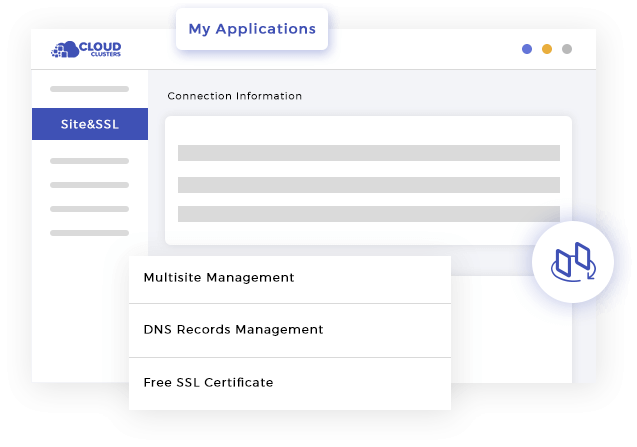
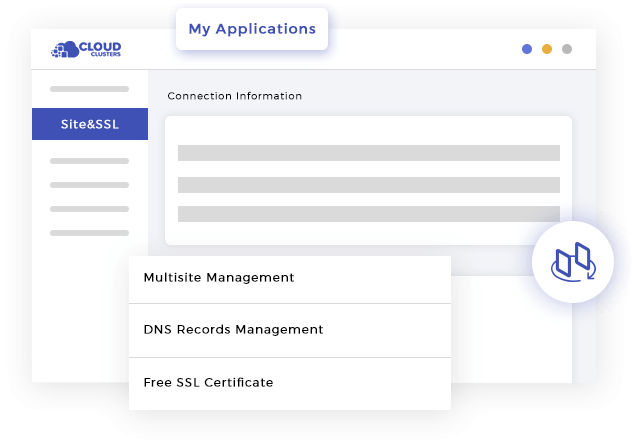
Control panel provides an easy-to-use domain name management interface, allowing you to manage your domain name, add subdomains, set domain name forwarding, etc. It also provides a free SSL certificate function, allowing users to easily enable HTTPS encryption for websites.

Web Shell

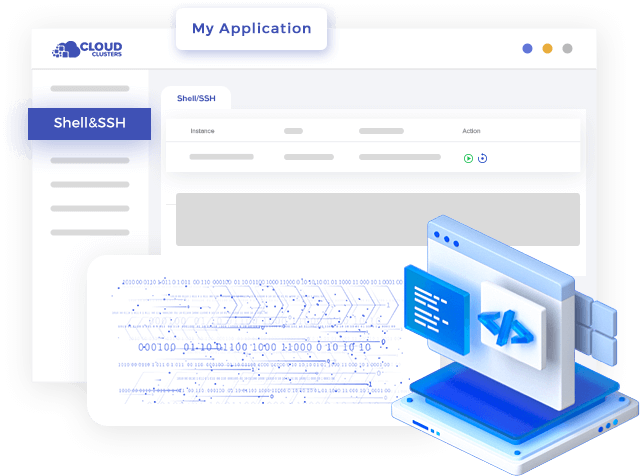
Control panel provides a built-in Web Shell, allowing you to easily configure and maintain the Node.js web server without using other independent SSH clients.

Performance Monitoring

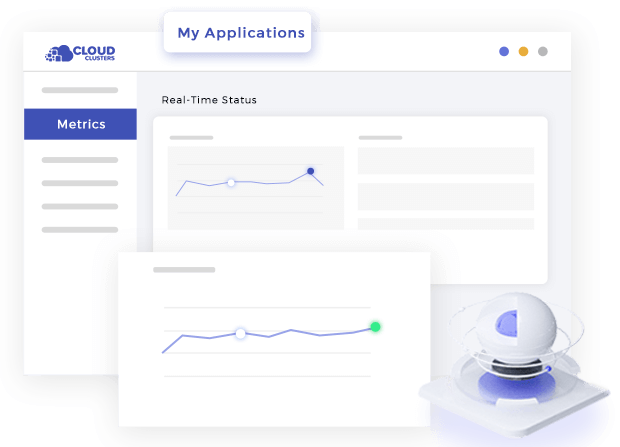
Control panel provides performance monitoring and statistics functions, allowing you to monitor your server's resource usage in real time. This includes monitoring of metrics such as CPU utilization, memory usage, and network traffic.

DNS Server Settings

Control panel allows you to manage and configure your DNS server settings. You should be able to easily add and manage DNS records, including A records, CNAME records, MX records, etc. Additionally, the control panel should also offer DNS zone management, giving you more precise control over your domain name resolution.

FTP Access

Control panel provides the function of FTP access, allowing you to upload, download and manage your Node.js application files conveniently. It should allow you to create FTP accounts, set access permissions, and provide a built-in file manager that lets you manage your files directly in your browser.

Easy-to-Use Control Panel for Node.js as a ServiceEasy-to-Use Control Panel for Node.js as a ServiceEasy-to-Use Control Panel for Node.js as a ServiceEasy-to-Use Control Panel for Node.js as a ServiceEasy-to-Use Control Panel for Node.js as a Service

4 Steps to Start Node.js Server Hosting

By providing a platform for running Node.js web applications, Cloud Clusters enable developers to focus on creating web applications and delivering content to end-users without managing the underlying infrastructure. Free Node.js hosting trial avaialbe for new clients.
Configure Node.js Environment

Configure Environment

Users can deploy Node.js environment configuration with one click, including Node.js version, and enter the control panel to start the application.
Upload Node.js Project

Upload Node.js Project

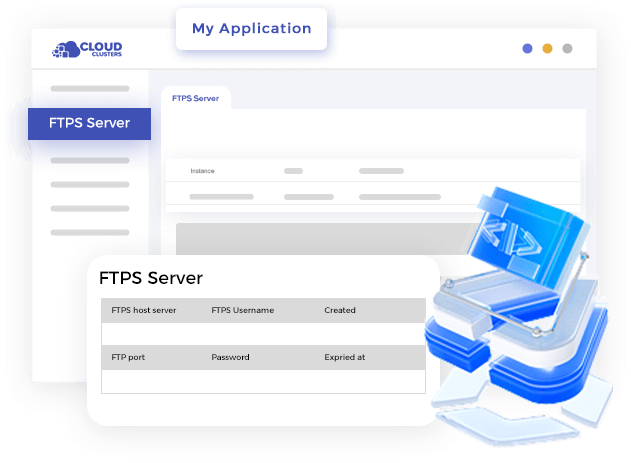
Enter the control panel, users can start the service on the ''FTPs Server'' page, and upload their own Node.js project files.
Launching Your App

Launching Your App

Once the application is uploaded and configured, users can launch their application by visiting the domain name or IP address associated with the hosting account.
Maintaining Your App

Maintaining Your App

Developers can monitor the performance of the application and troubleshoot any issues using Cloud Clusters' control panel or third-party monitoring tools.
stdsfdfdf

The Importance of Node.js Web Server Hosting

Node.js web server hosting is essential for providing the necessary infrastructure, scalability, performance, and developer-friendly features to create and deploy robust and efficient web applications.

Node.js Compatibility

Provides the runtime environment and dependencies needed to host Node.js app.

Event-Driven and Non-Blocking I/O

Handle a large number of concurrent connections and deliver high-performance applications.

JavaScript Full Stack Development

Simplifies the development process and enables efficient code reuse.

Supported Versions for Cheap Node.js Cloud Hosting

The Node.js server hosting supports multiple versions, regularly updated to keep your apps current, with a simple one-click setup to launch your Node.js environment.

Host Node.js 20

Node.js 20 is an LTS release with V8 11.x, offering modern ECMAScript features, enhanced ES Module support, improved performance, and an experimental permission model for greater security in production workloads.
An upgrade to version 11.x of the V8 JavaScript engine, bringing improved performance and new language features
Introduced Experimental Permission Model feature, allowing developers to restrict access to specific resources during execution using flags.
The built-in Stable Test Runner graduated from experimental to stable, providing a native, production-ready tool for writing and running tests without relying on third-party frameworks.
Significant performance boosts across the runtime, including faster startup times
Experimental Single Executable Applications (SEA) enables the creation and distribution of a single file that contains both the Node.js runtime and the application code

Host Node.js 18

Node.js 18 is an LTS release with V8 10.x, introduces built-in Fetch API, Web Streams, TLS 1.3 support, ES Modules, and experimental build-time snapshots for faster startup and improved performance.
An upgrade to version 10.x of the V8 JavaScript engine for better performance and modern JavaScript features.
Introduced built-in Fetch API, simplifying HTTP requests and eliminating the need for third-party libraries.
Native Web Streams API support, facilitating efficient handling of data streams.
Improved security features related to TLS and the adoption of OpenSSL 3.0.
General performance enhancements across HTTP, crypto, and async operations.
Experimental build-time snapshots to precompile code for faster startup and improved performance.

Host Node.js 16

Node.js 16 is an LTS release featuring the V8 9.x engine, released with native Apple Silicon (M1) support, stable Promises-based timers, npm 7 improvements, and enhanced debugging for reliable production workloads.
An upgrade to V8 9.0 JavaScript engine, delivers performance tweaks and improvements, including ECMAScript RegExp Match Indices..
Apple Silicon Native Support: Provides dedicated binaries (darwin-arm64) for M1 Macs, alongside Intel support, for better performance.
Stable Timers Promises API: Allows for await setTimeout() to be used in code, simplifying asynchronous operations.
Improved npm 7 with faster installs and better dependency resolution.
Enhanced diagnostics and debugging capabilities: includes better diagnostic tools and improved support for Chrome DevTools.

Host Node.js 14

Node.js 14.16.0 is a specific version of the Node.js runtime environment, released on February 23, 2021. It is part of the Node.js 14.x release line and is a Long Term Support (LTS) release.
An upgrade to version 8.1 of the V8 JavaScript engine.
Introduced enhancements to diagnostic reporting functionality.
The 'worker_threads' module was introduced.
NPM 6.14.4 includes bug fixes, security updates, and improvements to package installation and management.
Experimental support for ECMAScript modules (ESM).
Experimental support for 'AsyncLocalStorageAPI'.
Various improvements and bug fixes related to the HTTP/2 protocol.

Node.js Web Hosting Frameworks

Our Node.js hosting platform is fully compatible with all popular frameworks, including Express.js, Koa.js, Nest.js, and Meteor.js. This means you can easily deploy, configure, and run your applications without worrying about server setup or environment configuration. Whether you are building REST APIs, full-stack applications, or real-time services, our Node.js cloud hosting provides a reliable and scalable environment to host Node.js app or project efficiently.
Examples of Node.js framework
Node.js Web Hosting Frameworks
Express.js
Koa.js
Nest.js
Meteor.js

6 User Scenarios for Hosting Node.js App

Node.js server hosting is a flexible and powerful runtime environment that supports the deployment and hosting of various types of Node.js applications.

Web Applications

Node.js hosting can be used to host web applications, including single-page applications (SPA), multi-page applications (MPA), and server-side rendered applications (SSR).

API Service

Node.js hosting is very suitable for hosting API services, which can handle a large number of concurrent requests and provide fast response.

Real-Time Applications

Node.js' event-driven and non-blocking I/O model makes it ideal for building real-time applications, such as chat applications, real-time collaboration tools, and game servers.

Microservices

Node.js hosting can be used to host individual services in a microservices architecture and combine them together using container orchestration tools such as Kubernetes.

Static Websites

While Node.js is primarily used to build dynamic applications, it can also be used to host static websites. Enjoy fast content distribution.

Command Line Tools

Node.js hosting can also be used to host command line tools and scripts. These tools can help automate tasks, data processing, and system administration, among other things.

Other Deployment Options to Host Node.js APP Online

Node.js VPS hosting and Node.js dedicated server for small to medium-sized projects and for large-scale or high-traffic workloads respectively.
Host Node.js APP on VPS Server
Node.js VPS Server
Host Node.js APP on Dedicated Server
Node.js Dedicated Server

Express Plus Linux VPS

7.99/mo
1mo3mo12mo24mo
Order Now
  • 3 CPU Cores
  • 6GB RAM
  • 100GB SSD Disk Space
  • 100Mbps Unmetered Bandwidth
  • Once per 4 Weeks Backup
  • 1 Dedicated IP
  • Ubuntu/CentOS/Debian&More
  • No Setup Fee

Basic Plus Linux VPS

12.99/mo
1mo3mo12mo24mo
Order Now
  • 6 CPU Cores
  • 12GB RAM
  • 180GB SSD Disk Space
  • 200Mbps Unmetered Bandwidth
  • Once per 4 Weeks Backup
  • 1 Dedicated IP
  • Ubuntu/CentOS/Debian&More
  • No Setup Fee

Professional Plus Linux VPS

27.99/mo
1mo3mo12mo24mo
Order Now
  • 8 CPU Cores
  • 24GB RAM
  • 280GB SSD Disk Space
  • 300Mbps Unmetered Bandwidth
  • Once per 2 Weeks Backup
  • 1 Dedicated IP
  • Ubuntu/CentOS/Debian&More
  • No Setup Fee

Advanced Plus Linux VPS

51.99/mo
1mo3mo12mo24mo
Order Now
  • 16 CPU Cores
  • 32GB RAM
  • 400GB SSD Disk Space
  • 500Mbps Unmetered Bandwidth
  • Once per 2 Weeks Backup
  • 1 Dedicated IP
  • Ubuntu/CentOS/Debian&More
  • No Setup Fee
For more VPS plans and dedicated servers, please visit the VPS page and dedicated server page.

FAQs of Node.js APP Hosting, Node.js Web Cloud Server

Answers to mostly asked questions about Node.js hosting services. Find the best Node.js hosting option that meets your needs.

What is the difference between Node.js Cloud Hosting, Node.js VPS Hosting, and Node.js Dedicated Hosting?

Node.js Cloud Hosting Fully managed, container-based hosting with shared resources. Designed to run a single Node.js instance, pre-configured and ready to use. We handle server setup, software, maintenance, and security. Automated backups are included, with on-demand backups available via the control panel. Ideal for businesses looking for hassle-free Node.js hosting without server management.

Node.js VPS Hosting Virtual private servers with dedicated resources on a shared physical machine. Root/admin access allows you to install, configure, and customize Node.js and related services. Our team manages regular backups. Scalable within physical server limits, ideal for businesses that need flexibility, customization, and cost efficiency.

Node.js Dedicated Hosting A full physical server exclusively for your business, delivering maximum performance, security, and resource availability. With full root/admin access, you have complete control over Node.js, system configuration, and integrations. Backups are user-managed. Best suited for enterprises requiring full control, dedicated resources, and high-performance Node.js hosting.

What is Node.js web hosting?

Node.js web hosting provides a virtual environment for running Node.js web applications, making the applications accessible on the internet.

What is Node.js cloud hosting?

Node.js cloud hosting uses cloud computing infrastructure to host and deploy Node.js applications. It allows you to run Node.js applications in containers provided by Cloud Clusters.

Can I deploy multiple Node.js applications on Cloud Clusters?

Yes. Cloud Clusters allow you to deploy multiple Node.js applications, and you can manage and deploy each application individually and allocate resources accordingly.

Can I use other programming languages with Cloud Clusters?

Yes. Cloud Clusters supports multiple programming languages and frameworks. While Node.js is a popular choice, Cloud Clusters also support languages like Python, Java, .NET, PHP, and more. You can deploy applications written in different programming languages on the same cloud hosting platform.

What is a Node.js app hosting?

A Node.js app hosting can be used to host Node.js apps that utilizes the Node.js runtime environment to process incoming HTTP requests and generate responses. It allows you to build and serve web applications, APIs or websites using JavaScript on the server side.

Can I deploy a Node.js web server on a cloud platform?

Yes, you can deploy Node.js web servers on various cloud platforms. Cloud Clusters provides infrastructure and services to host Node.js applications, making it easier for you to deploy and scale in cloud environments Web server. You can try Cloud Clusters' free Node.js hosting to see if the service meet your needs.

How do I handle routing in a Node.js web server?

Routing in a Node.js web server refers to the process of mapping incoming HTTP requests to specific handler functions or controllers. Popular web frameworks like Express.js, Koa.js, and Hapi.js provide built-in routing mechanisms to simplify this process. Typically, you define routes with corresponding HTTP methods (e.g., GET, POST) and specify the handler functions or middleware to execute for each route. The web server then matches incoming requests to the defined routes and triggers the corresponding handlers to generate responses.

Can I host static files (HTML, CSS, etc.) with a Node.js hosting server?

Yes, a Node.js hosting server can serve static files like HTML, CSS, JavaScript, images, and other assets. Most web frameworks, including Express.js, provide middleware functions specifically designed for serving static files from a specified directory. You can configure the server to serve static files by defining a static file directory and accessing them using the appropriate URLs in the browser.

Is there free Node.js hosting available?

We do not offer permanent free Node.js hosting. Instead, we provide a free trial that allows new customers to test our Node.js hosting environment, evaluate performance, compatibility, and features, and ensure it meets their requirements before upgrading to a paid plan.

Is cheap Node.js hosting suitable for production?

Cheap Node.js hosting can be suitable for production as long as your workload is light to moderate. For high-traffic or mission-critical applications, upgrading to a higher-tier plan or dedicated resources is recommended.

Other Runtime Environment, Get the Best Web Server

In addition to Node.js web hosting, there are several other popular runtime environments that are supported on the Cloud Clusters platform.